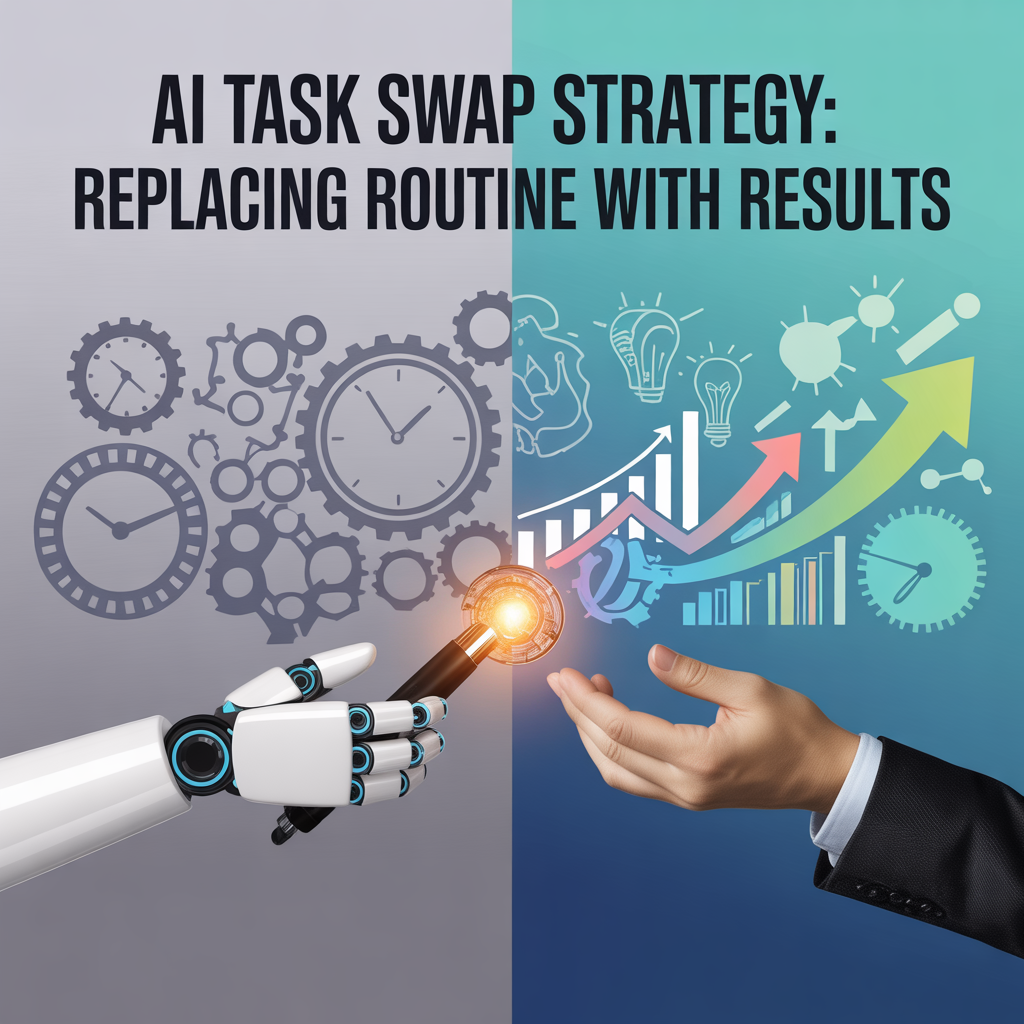
AI Task Swap Strategy: Replacing Routine with Results
You’re drowning in tasks that don’t make you money. Every morning starts the same way.
You open your laptop, and before you’ve even had your second cup of coffee, you’re sorting through emails, scheduling posts, researching competitors, updating spreadsheets, and hunting down that one file you saved somewhere three weeks ago.
Two hours vanish, and you haven’t done a single thing that’ll actually grow your business or bring in revenue. It’s not that these tasks aren’t important. They are.





Your business needs them done.
But here’s the problem: you’re treating your time like it’s all worth the same. It’s not.
An hour spent creating an offer that could bring in thousands is not the same as an hour spent color-coding your calendar or writing the same type of email for the fifteenth time this month.
Most marketers and solopreneurs know this on some level, but they stay stuck in the routine anyway. Why? Because they think they’re the only ones who can handle it.
Or they’ve convinced themselves that outsourcing means hiring expensive help they can’t afford.
Or they just haven’t found a system that actually works without creating more headaches.
That’s where AI comes in, and I’m not talking about asking ChatGPT to write you a blog post. I’m talking about a complete task swap.
You take all those routine, repetitive, time-sucking activities that keep you busy but broke, and you hand them off to AI tools that can handle them faster, cheaper, and often better than you can.
Then you take that reclaimed time and point it straight at the activities that actually make you money.
Your goal doesn’t have to be to work less, but work on the right things. When you systematically replace routine tasks with AI, you’re not just saving time.
You’re fundamentally changing what your workday looks like.
Instead of starting every morning in reactive mode, handling whatever landed in your inbox overnight, you’re starting in creation mode.
You’re building offers, connecting with people who matter, making sales, and growing your audience.
The marketers who figure this out first are going to have a massive advantage.
While everyone else is still sorting emails and scheduling posts manually, they’ll be three steps ahead, focused entirely on revenue-generating activities.
You’re about to reclaim hours of your day, and you’re going to use every minute of it to build something that matters.
The Real Cost of Doing Everything Yourself
You think you’re saving money by handling everything yourself, but you’re actually bleeding cash. Here’s the math nobody wants to do.
Let’s say you want to make $100,000 this year. That breaks down to about $50 per hour if you’re working full time.
Every hour you spend sorting emails, that’s $50 you’re not earning. Every morning you waste updating spreadsheets or researching keywords manually, that’s another $50 gone.
Do that for two hours a day, and you’ve just lost $1,000 per week. That’s $52,000 per year you’re throwing away on tasks that AI could handle for less than $100 per month.
But it’s worse than that because those routine tasks don’t just steal your time. They steal your energy and focus too.
By the time you’ve finished all the admin work, you’re mentally drained.
You sit down to create something that could actually make you money, and your brain’s already fried.
So you do a half-hearted job, or you put it off until tomorrow, which means you start the whole cycle again.
You’re not being productive. You’re being busy. And busy doesn’t pay the bills. The other cost nobody talks about is opportunity cost.
While you’re manually scheduling social media posts, your competitor is using AI to handle that in five minutes, and they’re spending the rest of their morning building a new funnel.
While you’re responding to the same customer questions over and over, someone else has an AI-powered system handling those inquiries instantly, and they’re out there closing deals.
You’re not just losing time. You’re losing ground.
AI doesn’t replace you. It replaces the grunt work so you can focus on being the strategist, the creator, the closer. The person who makes decisions and makes money.
But you have to be willing to let go of the idea that only you can handle these routine tasks. You can’t. Not if you want to grow. Not if you want to scale.
And definitely not if you want to stay sane.
The first step is recognizing which tasks are actually worth your time and which ones are just keeping you trapped in a cycle of busy work that feels productive but gets you nowhere.
Identifying Your Swap-Worthy Tasks
Not every task should be handed off to AI, but most of the ones eating up your day probably should be. Start by tracking what you actually do for one week.
Don’t change your behavior.
Just write it down. Every time you switch tasks, note what you’re doing and how long it takes.
You’ll be shocked at how much time vanishes into things you don’t even remember doing.
Look for tasks that fit these criteria: they’re repetitive, they follow a pattern, they don’t require your unique expertise, and they don’t directly generate revenue.
Email sorting and filtering.
Scheduling social media posts. Basic research. Data entry. Transcribing meeting notes. Generating first drafts. Formatting documents. Finding and organizing files.
Answering common questions. These are your prime candidates for an AI swap.
Then there are the tasks that feel important but are really just procrastination in disguise. Endlessly tweaking your website when it’s already good enough.
Researching competitors for hours without taking action.
Reading every marketing blog post that lands in your inbox. Reorganizing your files for the third time this month. These aren’t just swap-worthy. They’re delete-worthy.
But if you can’t kill them completely, at least get AI to handle the heavy lifting so you’re not spending hours on them.
Here’s what you don’t swap: strategic decisions, relationship building, creative work that requires your unique voice or expertise, and anything that involves being the face of your brand in a meaningful way.
AI can help with these things, but it shouldn’t replace you. Your job is to be the person who decides what gets done and why. AI’s job is to make it happen faster.
Once you’ve identified your swap-worthy tasks, group them into categories: communication, content, research, organization, and scheduling.
This makes it easier to find the right AI tools because you can tackle one category at a time instead of trying to automate everything at once and getting overwhelmed.
The goal isn’t perfection. It’s progress. Even if you only swap out three or four routine tasks, that could save you ten hours a week.
That’s ten hours you can spend on activities that actually grow your business and put money in your pocket.
Setting Up Your AI Command Center
You need one place where AI handles your routine tasks without you having to think about it every single time.
Most people approach AI tools like they’re one-off solutions. They use ChatGPT when they remember.
They try an email tool for a week and forget about it. They download an app that’s supposed to help with scheduling, but they never integrate it into their workflow.
That’s not a system. That’s chaos with extra steps.
Your AI command center is where you connect tools that talk to each other so tasks flow automatically.
You’re building a system where one action triggers another without you lifting a finger.
An email comes in, AI reads it and sorts it into the right folder. Your calendar opens up a slot, AI sends a meeting invite to the right person with all the details.
You need to research a topic, AI pulls the information and drops it into a document ready for you to use.
Start with a hub. Most marketers use something like Zapier, Make, or n8n to connect different AI tools and apps.
These platforms let you create workflows where one trigger sets off a chain of actions.
For example, when you get an email from a specific client, it can automatically create a task in your project management system, add a note to your CRM, and send you a summary of what needs to be done.
You don’t touch any of it.
Then layer in the AI tools that handle specific jobs. For email, you might use something like SaneBox or Superhuman with AI sorting.
For scheduling, tools like Motion or Reclaim AI. For research, Perplexity or custom GPT prompts that pull exactly what you need.
For content drafts, Claude or ChatGPT with templated prompts you’ve refined.
The key is picking tools that integrate with your hub so everything runs smoothly. Here’s a simple starter workflow:
Every morning at 8 AM, your AI system pulls your calendar for the day, checks your email for anything urgent, creates a prioritized task list based on deadlines and importance, and drops it all into one place you check.
That’s it. You start your day knowing exactly what needs your attention without spending thirty minutes figuring it out yourself.
Another example: When someone books a call with you, AI sends them a confirmation email, adds them to your CRM, sends a reminder 24 hours before, and prepares a brief with everything you need to know about them pulled from past emails and notes.
You show up to the call ready. No prep time needed.
The trick is starting small. Pick one workflow that’ll save you the most time, set it up, test it for a week, and adjust as needed. Then add another.
Within a month, you’ll have a system that handles hours of routine work while you focus on making money.
Email Management Without the Overwhelm
Your inbox is not your job, but most people treat it like it is. The average person checks email 15 times a day and spends nearly three hours dealing with it.
That’s three hours you’re reacting to other people’s priorities instead of working on your own. And most of those emails don’t even need your immediate attention.
They just feel urgent because they’re sitting there unread.
AI can cut your email time down to 20 minutes a day or less. Here’s how.
First, AI-powered sorting.
Tools like SaneBox or Gmail’s AI features learn what matters to you and automatically filter everything else.
Important client emails go to your main inbox. Newsletters get sorted into a folder you check once a week. Promotions go straight to trash.
You’re not making these decisions manually anymore. The AI does it based on patterns it learns from your behavior.
Second, AI-generated responses.
For the emails you get repeatedly—”What are your rates?” “Can we reschedule?” “Do you have time for a quick call?”—you can set up templates that AI customizes and sends.
You’re not copying and pasting the same response fifty times. You glance at the email, hit a shortcut, and AI sends a personalized reply that sounds like you wrote it.
Here’s a plug-and-play prompt for generating email responses: “You are my assistant managing routine emails. When I forward you an email asking about [common topic], respond politely and professionally in my voice [describe your tone], include [key information they need], and suggest [next step]. Keep it under 100 words and friendly but direct.”
You can also use AI to draft longer emails. Copy the email you need to respond to, paste it into your AI tool with context about what you want to say, and let it generate a draft.
You edit it for 30 seconds to make sure it sounds right, hit send, and move on. What used to take ten minutes now takes two.
The big win is AI summaries. If you’re on a lot of email threads or newsletters, AI can read them and give you the key points in two sentences.
You’re not reading entire conversations to find out what matters. You get the summary, decide if you need to respond, and either handle it or archive it. Done.
Some people worry that AI email management makes them seem robotic or impersonal. It doesn’t if you set it up right.
The AI learns your tone, uses your language, and keeps your personality intact. Nobody knows the difference. They just notice you respond faster and seem more organized.
The point isn’t to ignore your email. It’s to stop letting email run your entire day. You check it at specific times, handle what actually needs you, and let AI take care of the rest.
Scheduling and Calendar Control
If you don’t control your calendar, it’ll control you. Most solopreneurs have calendars that look like someone threw darts at a schedule and called it productivity.
Meetings scattered everywhere. No buffer time. Back-to-back calls that leave no room to think or eat or do actual work.
And half the time, you’re the one manually moving things around trying to make it all fit.
AI scheduling tools fix this by managing your calendar like a professional assistant would.
They block time for deep work, automatically schedule meetings based on your preferences, move things around when conflicts pop up, and make sure you’re not overbooked.
Tools like Motion or Reclaim AI don’t just put things on your calendar. They optimize it.
You tell the AI what your priorities are—deep work on your offer, client calls, content creation—and it structures your week to protect time for those things first.
Everything else fills in around it. No more letting random meetings steal your best hours.
Here’s how it works in practice. Someone wants to book a call with you. Instead of the usual back-and-forth email dance—”Does Tuesday work?” “No, how about Thursday?”—you send them a link.
They see your available times, pick one that works for them, and it’s done. AI handles the confirmation, sends reminders, and even preps you with context before the call.
You can also set rules. No meetings before 10 AM because that’s your writing time. No calls on Fridays because you batch content.
No meetings longer than 30 minutes unless it’s a client. Buffer time between calls so you’re not rushing.
AI enforces all of it without you having to think about it or say no to people manually.
One of the biggest time-savers is automatic rescheduling. If a meeting gets canceled, AI looks at your calendar and suggests new times.
If something urgent comes up and you need to move things, AI figures out the least disruptive way to do it and sends updates to everyone involved.
You’re not spending twenty minutes playing calendar Tetris.
You can even use AI to analyze how you’re spending your time. It’ll show you patterns like “You’re spending 40% of your week in meetings but only 20% on revenue activities.”
That’s a wake-up call. You can’t fix what you don’t see, and AI makes it impossible to ignore how you’re actually using your time versus how you think you’re using it.
The goal is to design your calendar around your priorities instead of reacting to whatever lands in it. You decide what gets your time and energy. AI makes sure it happens.
Research and Information Gathering
Research used to mean opening 47 browser tabs and losing your mind trying to keep track of it all.
Now AI can do your research in minutes, organize it, summarize it, and hand it to you ready to use.
No more endless scrolling through articles. No more trying to remember where you saw that one stat three days ago.
No more copying and pasting quotes into a document that turns into a disorganized mess.
Let’s say you need to research a competitor. You want to know what they’re offering, how they’re pricing it, what their audience is saying, and where the gaps are that you can fill.
You could spend two hours clicking through their website, scrolling their social media, and reading reviews. Or you could give AI a prompt and let it pull everything in ten minutes.
Here’s a plug-and-play prompt: “Research [competitor name] and provide: 1) Their main product offerings and price points, 2) Key messaging and positioning from their website and social media, 3) Common customer complaints or praise from reviews, 4) Gaps or opportunities I could leverage. Present this in a concise report with sources.”
The AI searches, reads, organizes, and delivers. You review it, decide what’s useful, and move on. What used to be a morning project is now a quick task.
You can do the same thing for content research.
Instead of hunting down statistics, studies, or examples manually, you ask AI to pull them. “Find recent stats on email open rates for online marketers and cite sources.”
Done. You get the numbers, you verify the sources if needed, and you drop them into your content.
For ongoing research, you can set up AI to monitor topics you care about.
Tools like Feedly with AI or custom GPT setups can scan the web for news, trends, or discussions related to your niche and send you a weekly summary.
You’re not spending hours keeping up with industry news. You get the highlights delivered to you.
AI also handles the kind of research most people avoid because it’s tedious. Pulling data from multiple sources and comparing it.
Reading through long reports and pulling out the relevant sections.
Organizing research into categories so you can find it later. These are tasks that feel productive but suck up time and energy.
AI handles them faster and more thoroughly than you would manually.
The key is being specific with your prompts. The more detail you give AI about what you need and how you want it formatted, the better the results.
Vague prompts get vague answers. Specific prompts get exactly what you’re looking for.
You’re not cutting corners on quality. You’re cutting out the grunt work so you can focus on using the information strategically instead of spending all your time gathering it.
Content Creation and Repurposing
Creating content is one thing. Creating it consistently without burning out is another.
AI doesn’t replace your voice or your ideas, but it absolutely can handle the repetitive parts of content creation that slow you down. First drafts.
Repurposing one piece of content into five different formats. Editing for clarity. Generating outlines. Coming up with angles you hadn’t thought of.
Here’s how most marketers use AI wrong: they ask it to write something, it spits out generic garbage, and they give up.
That’s because they’re treating AI like a writer when they should be treating it like an assistant. You’re still the one with the ideas, the expertise, and the voice.
AI just speeds up the process of getting it out of your head and into a usable format.
Start with outlines. Instead of staring at a blank page, tell AI what you want to write about and ask for an outline. You get a structure in 30 seconds.
You review it, move things around if needed, and now you’ve got a roadmap instead of wandering aimlessly through your thoughts.
Then use AI for first drafts. You’re not publishing what it writes straight out of the box.
You’re letting it get 60-70% of the way there so you can spend your time refining instead of starting from scratch.
That’s the difference between spending two hours writing a blog post and spending 45 minutes editing one.
Here’s a plug-and-play prompt for blog posts: “Write a blog post outline on [topic] for [audience]. Include an introduction that hooks without listing what they’ll learn, 4-5 main sections with examples, and a conclusion that drives action. Use a conversational tone, short paragraphs, and simple language.”
Once you’ve got one piece of content, AI can repurpose it into multiple formats. You write a blog post.
AI turns it into a Twitter thread, a LinkedIn post, five Instagram captions, and an email. You’re not starting over every time you need content for a different platform.
You create once, repurpose everywhere.
You can also use AI to punch up weak content.
If you’ve written something but it feels flat, run it through AI with instructions to make it more engaging, tighten the language, or add examples. You’re still in control of the message.
AI just makes it sharper.
The trap people fall into is thinking AI-generated content is “cheating” or that it’ll make everything sound the same. It doesn’t if you use it right.
You’re the one setting the tone, providing the expertise, and making the final decisions.
AI is just the tool that keeps you from wasting hours on tasks that don’t require your unique skills.
Making the Swap Stick
Most people try AI tools for a week, forget about them, and go right back to doing everything manually.
The difference between testing AI and actually using it long-term comes down to systems.
You need a process that makes using AI the default, not the exception.
That means setting up workflows you can’t ignore, building habits around them, and tracking the time you’re saving so you can see the payoff.
First, attach AI tools to tasks you’re already doing. Don’t try to build a completely new workflow from scratch.
If you’re already using Google Calendar, integrate AI scheduling with that.
If you’re already checking email every morning, add AI sorting to that routine. You’re not learning something new.
You’re just upgrading what you’re already doing.
Second, set triggers.
A trigger is a specific event that automatically kicks off an AI task. “When I get an email from a client” or “Every Monday at 9 AM” or “When I add a task labeled ‘research’.”
These triggers mean you’re not trying to remember to use AI. It just happens.
Third, review and refine. Once a week, look at what’s working and what’s not. If an AI tool is giving you bad results, adjust the prompt or switch tools.
If you’re still doing something manually that AI could handle, figure out why and fix it. This isn’t a set-it-and-forget-it situation. You’re building a system that evolves with your needs.
The other thing that makes the swap stick is accountability. Track the time you’re saving.
If you used to spend two hours a day on email and now you spend 20 minutes, that’s 1.75 hours you’ve reclaimed. Write it down. Multiply it by the value of your time.
That’s money you’ve just put back in your pocket by not wasting it on tasks AI can handle.
Then—and this is the most important part—protect that reclaimed time. Don’t let it get filled with more busywork. Block it off for revenue-generating activities. Building your offer.
Reaching out to potential clients. Creating content that attracts your audience. Actually making money.
You didn’t swap out routine tasks just to fill your calendar with different routine tasks. You did it so you could finally focus on the work that matters.
The marketers who win in the next few years won’t be the ones working the hardest. They’ll be the ones working on the right things.
Right now, you’re probably spending half your day on tasks that don’t move the needle.
Email. Scheduling. Research. Data entry. All necessary, but none of them make you money.
And if you keep treating every hour like it’s worth the same, you’re going to stay stuck in the same place while your competitors figure out how to leverage AI and leave you behind.
This isn’t about replacing yourself. It’s about freeing yourself. AI doesn’t take over your business.
It takes over the grunt work that’s been stealing your time and energy for years.
It handles the repetitive, the tedious, the stuff that has to get done but doesn’t need your unique skills or expertise.
When you systematically swap out these routine tasks, something shifts. Your mornings stop feeling like a race to get through your inbox.
Your calendar stops owning you. Your brain stops being fried by 2 PM because you spent the whole morning on admin work.
You finally have space to think strategically, create something valuable, and focus on activities that actually generate revenue.
The task swap isn’t complicated. You identify what’s eating your time, you hand it off to the right AI tools, and you build workflows that make it automatic.
You start with one or two tasks, prove it works, and expand from there. Within a month, you could reclaim ten or twenty hours a week.
That’s ten or twenty hours you can spend building your business instead of just maintaining it.
But here’s the catch: this only works if you actually do it. Most people will read this, nod along, think “that makes sense,” and then do nothing.
They’ll keep drowning in routine tasks because change feels harder than staying stuck. Don’t be that person.
Start today. Pick one task you’re doing manually that AI could handle. Set it up. Test it for a week. Then move to the next one.
You don’t need to automate everything at once. You just need to start replacing routine with results, one task at a time.
The time you save adds up fast. What you do with it determines whether you’re still spinning your wheels a year from now or whether you’ve actually built something that matters.


 productivity